
Beagle vs. LeaseTrack
Both publish policy tracking, resident communications and property program options. Compare the actual review workflow, software connection, selected coverage and agreement for your portfolio.
Feature Comparison
How Beagle and LeaseTrack compare, feature by feature, across what property managers weigh most.
| Feature | Beagle | LeaseTrack |
|---|---|---|
| Policy review and monitoring | Reviews policy details against property requirements, flags exceptions and supports resident follow-up. | Publishes certificate review, lifecycle monitoring, lapse/renewal communications and leasing-staff reporting. |
| Property program | TLL waiver addresses specified property damage; enrollment follows the lease and agreed program rules. | Offers tracking plus a tenant legal liability policy with the property as insured; Rent Manager supports tracking and enforcing options. |
| Resident options | Separate deposit, pet and configurable Renter’s Kit offerings; selected terms determine what is included. | Publishes renters and manufactured-home insurance options alongside compliance tracking. Compare any additional requested services in the proposal. |
| Software connection | Published direct integrations: Yardi Voyager, Rent Manager and Rentvine. Confirm versions, fields and update behavior. | Publishes API/integration capabilities and a Rent Manager built-in workflow. Confirm the connection for your software. |
| Economics and agreement | Platform free for property managers; program costs, participation, term and cancellation follow the proposal and agreement. | Publishes control over the resident charge for its TLL program. Request pricing, revenue terms, billing and cancellation conditions. |
| Coverage and claim route | Compare base property damage, any optional contents benefit and selected claim contacts separately. | Compare the selected TLL and resident-policy forms. The Rent Manager master-policy FAQ says additional living expenses are not included. |
Reviewed October 7, 2026 using Beagle’s published FAQ, LeaseTrack’s partner overview and Rent Manager program details. Compare current proposals, including selected policy forms and cancellation terms. Related article: Beagle vs. LeaseTrack.
Plan a Provider Transition
Review these responsibilities before changing providers.
Review the Portfolio
Confirm software, lease requirements, selected programs and rollout responsibilities with the onboarding team.
Map Billing and Records
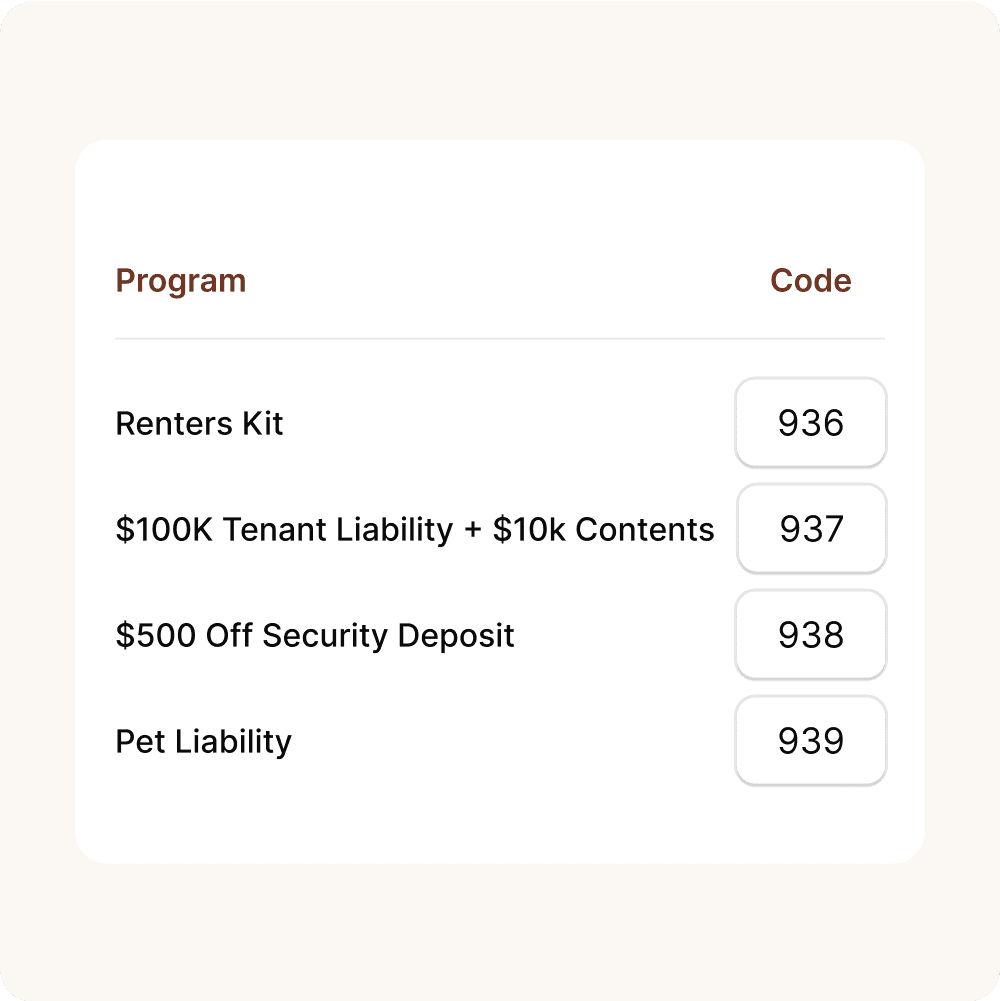
Agree accounting codes, resident records, enrollment dates and how charges or corrections are reconciled.
Review the Current Agreement
Use your existing provider’s actual notice and cancellation conditions. Plan replacement coverage and resident communications before ending an arrangement.

Confirm the Transition
Compare selected benefits and program terms, then agree launch dates, support contacts and how unresolved records will be handled.
Agree the Rollout
Set the launch, notice and billing dates with your team. Keep unresolved policy records and coverage responsibilities visible throughout the transition.